LLM Providers
GenieBuilder provides a unified interface that lets you switch between cloud and local models without changing your workflow.
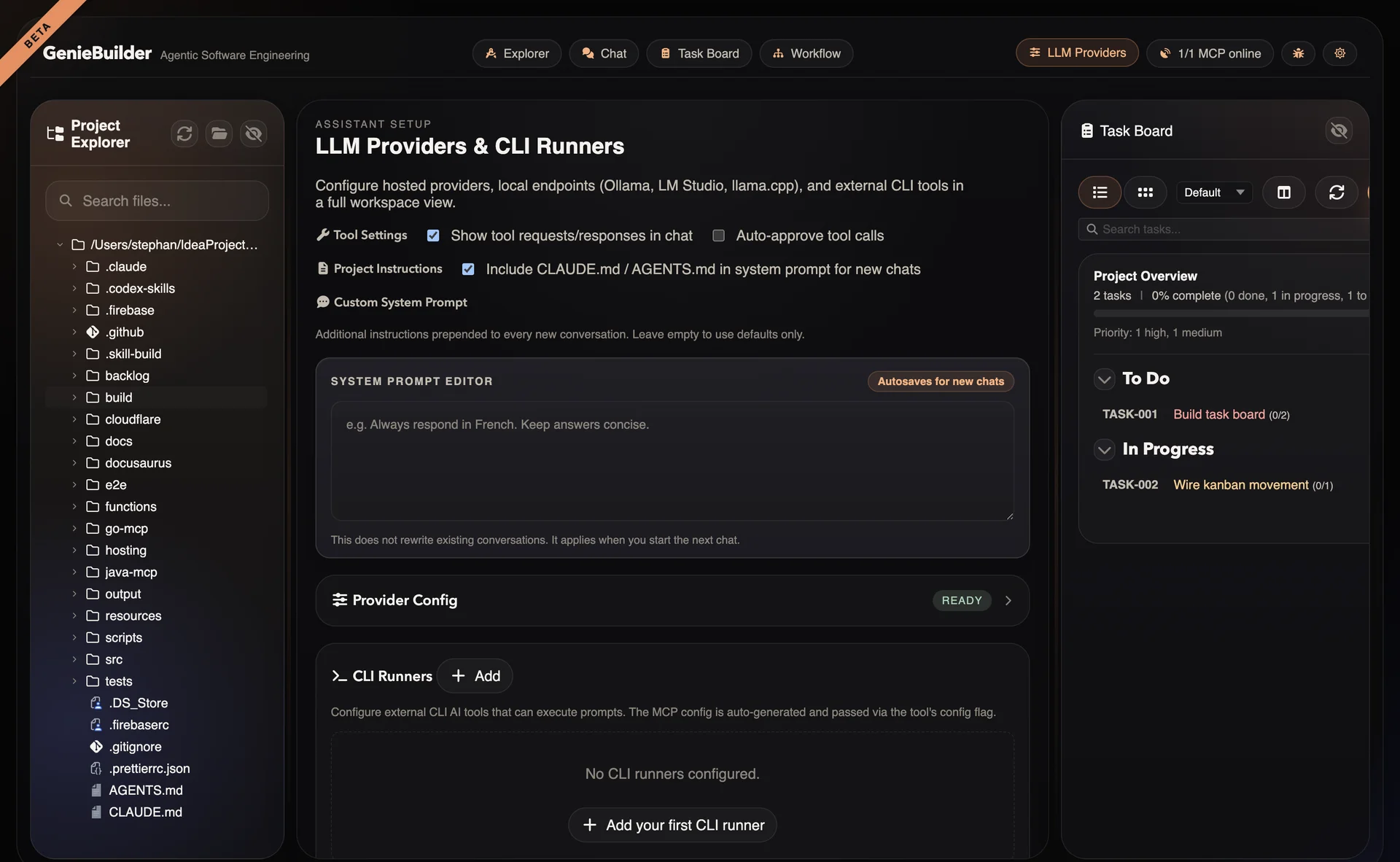
Cloud Providers
OpenAI
Access GPT models through OpenAI's API.
Models:
- GPT-5.4 (flagship)
- GPT-5.4-mini (balanced)
- GPT-5.4-nano (fast)
- GPT-5.x series (when available)
Configuration:
Provider ID: openai
API Key: sk-...
Base URL: https://api.openai.com/v1 (default)
Best for:
- General-purpose tasks
- Complex reasoning
- Code generation
Anthropic
Access Claude models through Anthropic's API.
Models:
- Claude 4.6 (Opus, Sonnet)
- Claude 4.5 Sonnet
Configuration:
Provider ID: anthropic
API Key: sk-ant-...
Base URL: https://api.anthropic.com (default)
Best for:
- Long context (200K tokens)
- Careful reasoning
- Document analysis
Google Gemini
Access Gemini models through Google's API.
Models:
- Gemini 3.1 Pro
Configuration:
Provider ID: google
API Key: AIza...
Base URL: https://generativelanguage.googleapis.com (default)
Best for:
- Multimodal tasks
- Large context (1M tokens)
- Integration with Google services
Local Providers
Ollama
Run models locally with Ollama.
Setup:
# Install Ollama
brew install ollama

# Pull a model
ollama pull glm-4.7-flash
Configuration:
Provider ID: ollama
Base URL: http://127.0.0.1:11434/v1 (default)
API Key: (not required by default)
Best for:
- Privacy (data stays local)
- Offline use
- Cost control
- Experimentation
Recommended models:
glm-4.7-flash— Fast responsesqwen3.5— General purpose
LM Studio
Run models through LM Studio's local server.
Setup:
- Download LM Studio
- Load a model
- Start local server (default port 1234)
Configuration:
Provider ID: lm-studio
Base URL: http://localhost:1234/v1
Best for:
- GUI model management
- Easy model switching
- Quantized models
llama.cpp
Direct integration with llama.cpp.
Setup:
# Build or download llama.cpp server
./server -m model.gguf -c 4096
Configuration:
Provider ID: llama.cpp
Base URL: http://localhost:8080
Best for:
- Maximum control
- Custom builds
- Research/experimentation
CLI Runners
CLI Runners integrate external command-line AI agents. See CLI Runners for detailed documentation.
Claude Code
Anthropic's agentic coding tool.
Installation: npm install -g @anthropic-ai/claude-code
Features:
- Rich tool use
- File editing
- Shell command execution
- MCP integration
Kimi CLI
Moonshot AI's efficient CLI.
Features:
- Fast responses
--yoloauto-execution mode- Clean JSON output
- MCP support
OpenAI Codex
OpenAI's code review CLI.
Installation: npm install -g @openai/codex
Features:
- Code review focus
--full-automode- JSON output format
- MCP integration
GitHub Copilot CLI
GitHub Copilot for command line.
Features:
- IDE-integrated experience
- GitHub context awareness
- MCP support
Provider Comparison
| Aspect | Cloud | Local | CLI |
|---|---|---|---|
| Setup | Easy (API key) | Moderate (install) | Moderate (install) |
| Cost | Per-token | Hardware only | Per-use or free |
| Privacy | Data sent to API | Local only | Varies |
| Offline | No | Yes | Depends |
| Quality | Highest | Good | High |
| Speed | Network | Local HW | Varies |
| Tools | Native | Native | Via MCP |
Configuration
Adding a Provider
- Open Settings → Providers
- Select provider type
- Enter API key or base URL
- Test connection
- Save configuration
Per-Tab Provider Selection
Each chat tab can use a different provider:
- Open new chat tab
- Click provider dropdown
- Select provider and model
- Start conversation
Default Provider
Set a default provider for new tabs:
Settings → Chat → Default Provider
API Key Security
GenieBuilder uses the system's secure storage for API keys:
Supported Platforms
| OS | Encryption |
|---|---|
| macOS | Keychain |
| Windows | DPAPI |
| Linux | Secret Service API / libsecret |
Fallback
On unsupported systems, keys are stored in plain text with a visible warning.
Best Practices
- Use environment variables for CI/automation
- Rotate keys regularly
- Use restricted keys when possible (read-only, IP-limited)
- Never commit keys to version control
Model Selection Guide
Choose models based on your needs:
| Task | Recommended |
|---|---|
| Code generation | GPT-5.4, Claude 4.6, Codex CLI |
| Code review | Claude 4.6, Codex CLI, Kimi |
| Documentation | Claude 4.6 (long context), GPT-5.4 |
| Quick answers | GPT-5.4-mini, local small models |
| Privacy-critical | Local models (Ollama) |
| Offline work | Local models |
| Complex reasoning | GPT-5.4, Claude 4.6 Opus |
| Agentic workflows | Claude Code, Kimi CLI |
Troubleshooting
Connection Failed
If provider test fails:
- Verify API key is correct
- Check base URL for local providers
- Ensure network connectivity (cloud)
- Verify local server is running (local)
Slow Responses
If models respond slowly:
Cloud:
- Check network connection
- Try a different model (smaller = faster)
- Check provider status page
Local:
- Verify GPU acceleration is enabled
- Reduce context window
- Use a smaller quantized model
Context Length Errors
If you hit token limits:
- Switch to model with larger context
- Truncate conversation history
- Split large inputs into chunks
- Use Claude (200K) or Gemini (1M) for long documents
CLI Runner Not Found
If CLI runner fails:
- Verify CLI is installed and in PATH
- Check executable path in settings
- Test CLI directly in terminal
- Review CLI-specific requirements